
Ramp Generator
Use the Ramp Generator in ScriptCompiler to create smooth position transitions with linear, ease-in, ease-out, and custom easing curves.
Overview
The Ramp Generator creates smooth transitions from one position to another. You can choose from multiple easing types to control how the transition accelerates and decelerates.
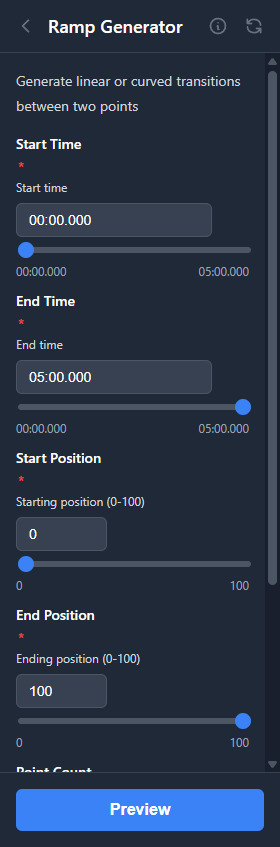
Parameters
| Parameter | Range | Description |
|---|---|---|
| Start Position | 0 to 100 | Starting position value |
| End Position | 0 to 100 | Ending position value |
| Duration | 100ms to 30s | Time for the transition |
| Point Count | 2 to 50 | Number of points in the ramp |
| Easing | See below | Controls the acceleration curve |
Easing Types
Choose an easing type to control how the transition feels:
| Easing | Description |
|---|---|
| Linear | Constant speed throughout the transition |
| Ease In | Starts slow, accelerates toward the end |
| Ease Out | Starts fast, decelerates toward the end |
| Ease In-Out | Starts slow, speeds up in the middle, slows down at the end |
| Exponential In | Very slow start with rapid acceleration |
| Exponential Out | Rapid start with very slow finish |
Use Cases
Build-Up Effects
Create gradual increases from low to high positions to build tension or intensity over time. Use Ease In for a slow start that accelerates.
Fade-Out Effects
Generate ramps from high to low for endings or transitions to rest positions. Use Ease Out for a natural deceleration.
Smooth Transitions
Connect two sections at different intensity levels with a gradual ramp rather than an abrupt change. Ease In-Out works well for natural-feeling transitions.
Testing Speed Limits
Create ramps of various speeds to test how devices handle different movement rates.