
Align
Use the Align tool in ScriptCompiler to snap selected funscript points to a common position value for consistent patterns.
Overview
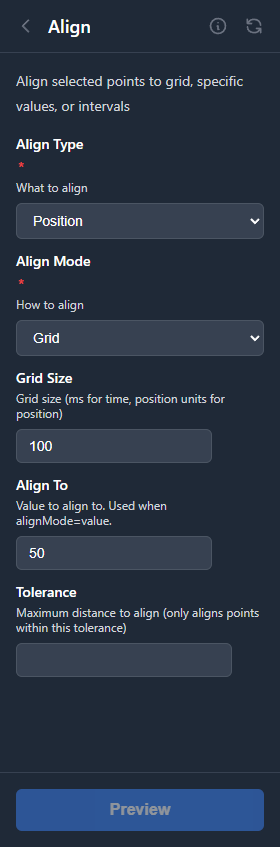
The Align tool moves selected points to a common value. Points can be aligned by position, time, or both.
Alignment Options
Align Type
Choose what dimension to align:
| Type | Description |
|---|---|
| Position | Align points vertically (default) |
| Time | Align points horizontally |
| Both | Align both position and time |
Align Mode
Choose how points are aligned:
| Mode | Result |
|---|---|
| Grid | Snap points to the nearest grid position (configurable grid size) |
| Value | All points move to a specified value (default: 50) |
| Average | All points move to the average of the selected points |
Use Cases
Create Flat Sections
Align points to create a pause or hold at a specific position. This is useful for matching scenes where movement stops.
Establish Baselines
Align the lowest points in a section to 0 or another baseline value to ensure consistent minimum positions.
Normalize Peaks
Align the highest points to 100 to ensure maximum range is used consistently throughout the script.