
Select by Range
Use Select by Range in ScriptCompiler to filter and select funscript points within specific time or position ranges.
Overview
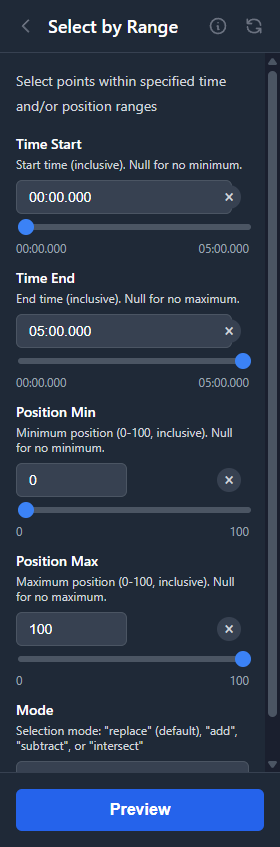
The Select by Range tool selects points that fall within specified time and/or position ranges. This is useful for precisely selecting points based on criteria rather than visual selection.
Parameters
| Parameter | Description |
|---|---|
| Time Start | Beginning of time range (in seconds or mm:ss) |
| Time End | End of time range |
| Position Min | Minimum position value (0-100) |
| Position Max | Maximum position value (0-100) |
Leave any parameter empty to ignore that constraint. For example, setting only Position Min/Max selects all points in that position range regardless of time.
Use Cases
Select by Time
Select all points in a specific time range to apply tools or delete a section precisely.
Select Extremes
Select points above 90 or below 10 to find and modify extreme positions in your script.
Select Middle Values
Select points between 40-60 to find and adjust mid-range positions that might feel weak.
Combine Constraints
Use both time and position ranges together to select very specific subsets of points, such as "high positions in the first minute."